Making local AI feel less technical.
Beacon gives people access to private, on-device AI. But early testing showed that asking users to choose their own model created a poor first experience. I redesigned onboarding around what people actually wanted from their assistant — and let Beacon handle the technical decision underneath.
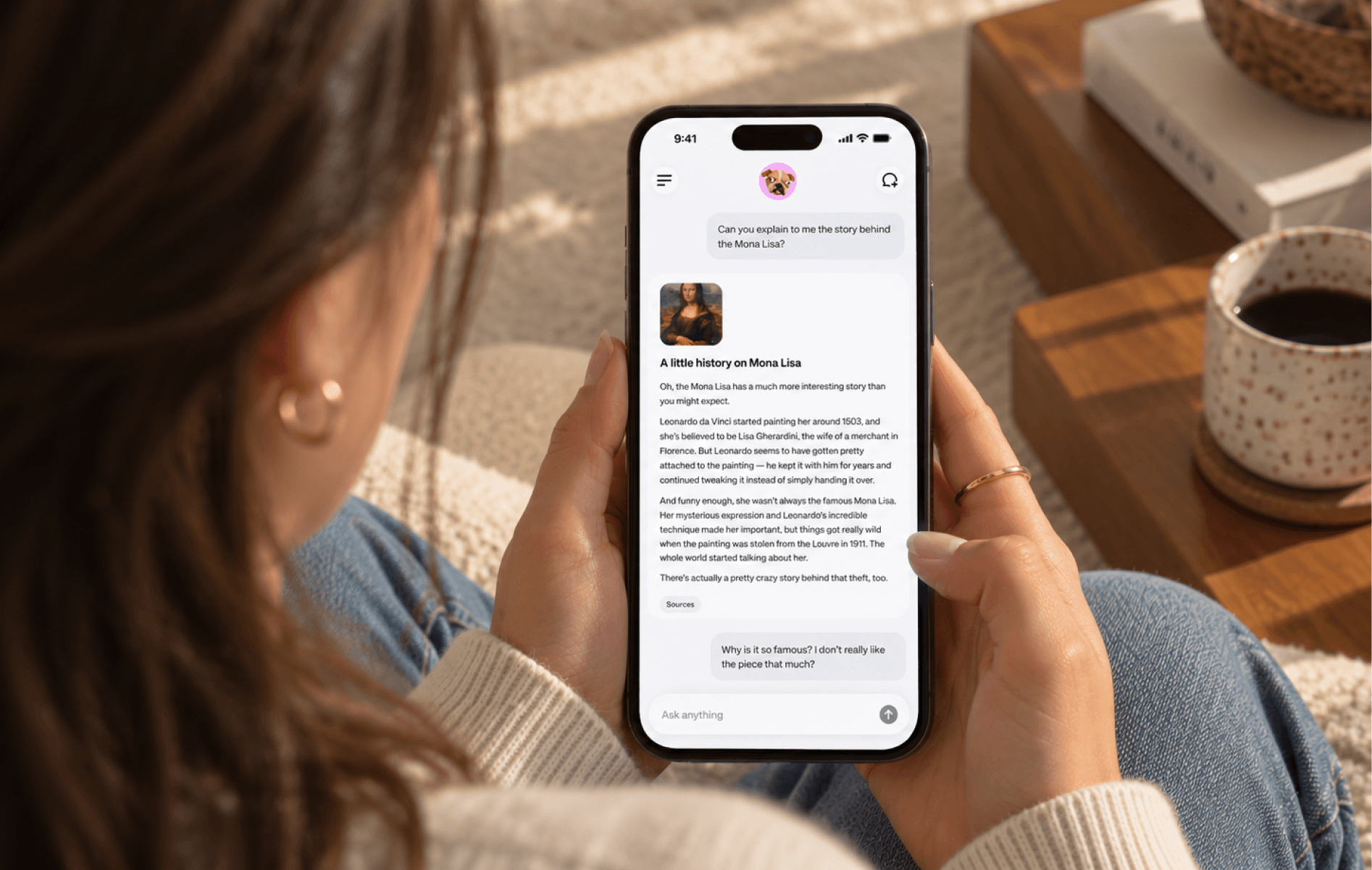
Your first model shapes your first impression.
Beacon lets people run AI models privately on their device. But that flexibility introduced an unexpected problem: new users had to choose a model before they understood what any of them were good at.
In an early test with 50 users, only 6 selected and downloaded the model that best matched their device and intended use.
Choosing the wrong model often meant slower responses, weaker answers, or unsupported capabilities — making Beacon feel worse before users had a chance to understand why.
Model selection is our problem, not the user’s.
Teaching users about parameters, model families, quantization, and RAM requirements wasn’t the answer. It only asked them to learn more before they could get started.
People don’t download Beacon because they want to manage models. They download it because they want a private AI assistant. The experience needed to start with what they wanted to do, while Beacon handled the model behind it.
Before
- Choose a model
- Download
- Chat
After
- Find the best fit for your phone
- Offer a model package
Start with a question people can answer.
Previous
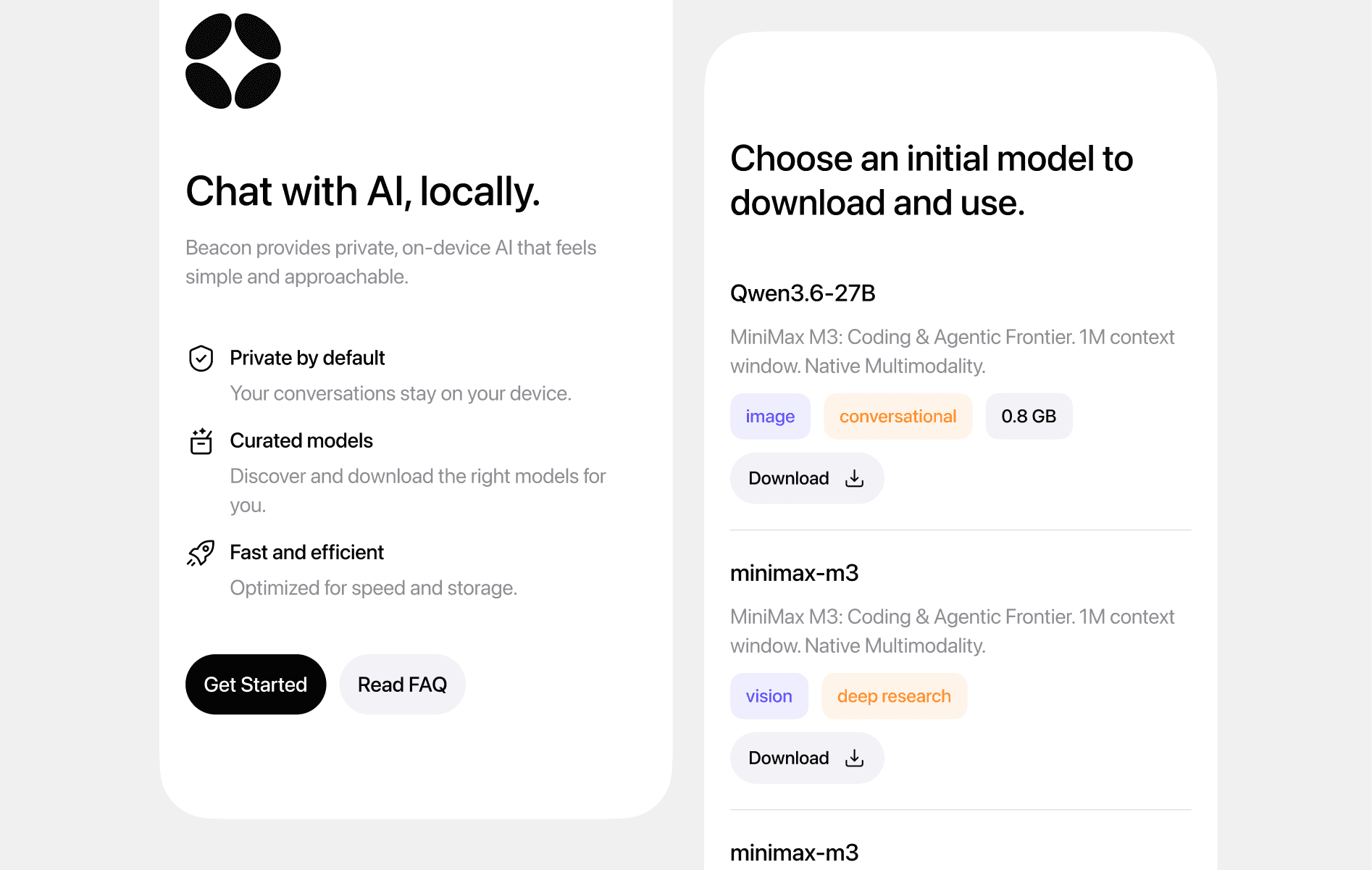
The original onboarding introduced local AI and immediately presented a model catalog. While transparent, it required users to understand technical differences before they had even experienced Beacon.
What I changed
I moved the technical decision behind a more familiar one: what do you want your assistant to help you with? A few lightweight questions reveal whether someone wants conversation, reasoning, research, or help with images. Beacon combines those preferences with device capabilities to recommend an assistant/model pairing.
Meet an assistant, not a model number.
The recommendation needed a different mental model, too. Instead of leading with a technical name, I introduced an assistant with a personality, a clear use case, and an honest explanation of its tradeoffs.
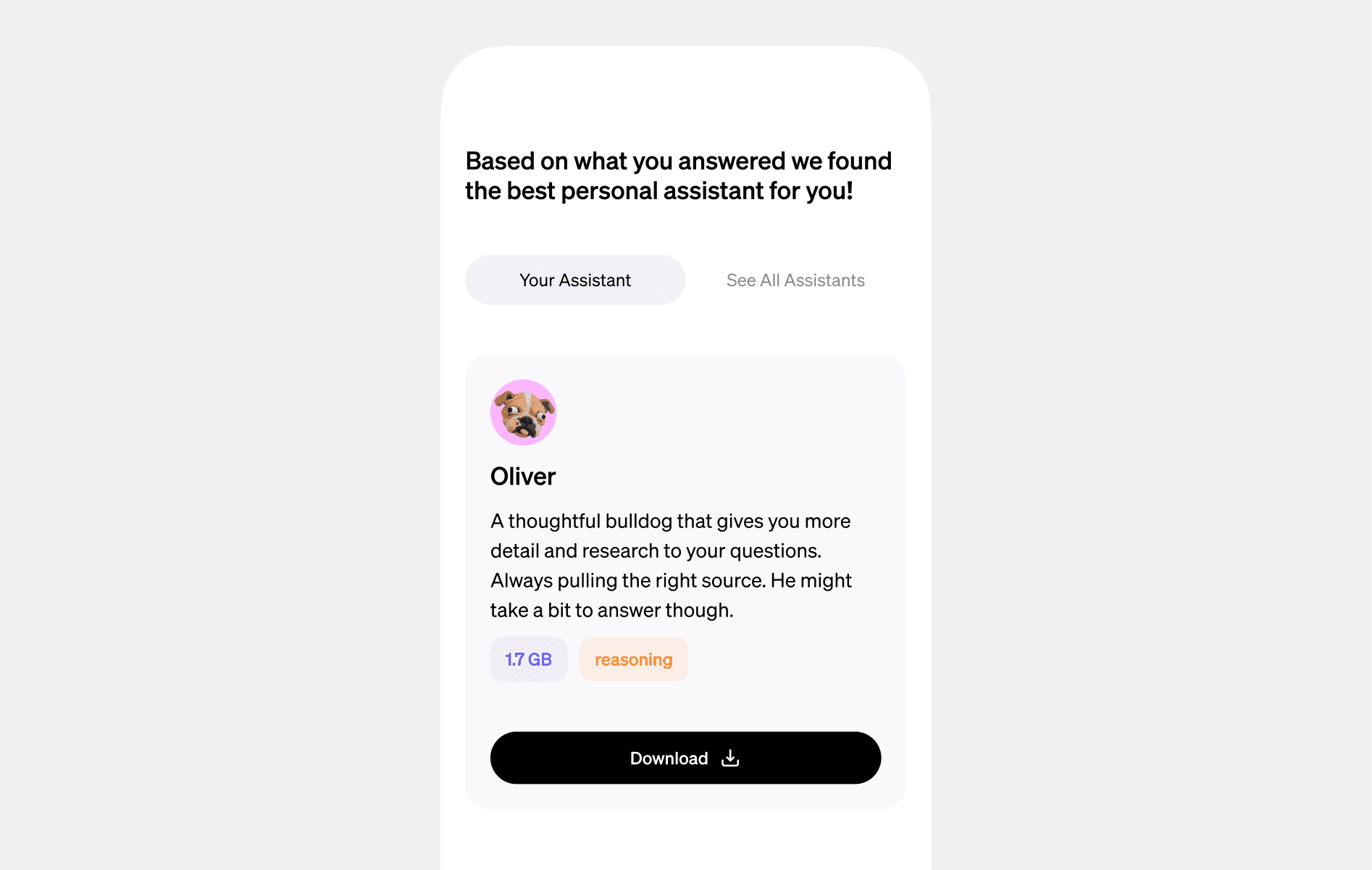
The model and its specifications can still be available to advanced users. They become supporting information rather than the first thing everyone has to understand.
From 12% to 92%.
Before
6 of 50
selected and downloaded a model suited to their device and needs.
After
46 of 50
were recommended an assistant/model pairing that matched those criteria.
In a 50-person usability test, the redesigned flow increased successful model matching from 6 participants to 46. The original flow asked people to select and download a model; the redesigned flow recommended a pairing based on their device and needs.
What makes a model a good fit?
The working definition is a model the device can run and that supports the person’s intended task. Preferences help distinguish between otherwise suitable options.
- Device
- Available memory, chipset, and supported model size.
- Intent
- Conversation, research, reasoning, or understanding images.
- Preference
- Speed versus depth, and how much storage someone is willing to use.
The lesson: making local AI approachable wasn’t about explaining every technical detail better. It was about asking a better first question — and taking responsibility for the complexity behind the answer.